01
Build a story without losing your footage
Use bins, Source and Program monitors, and multiple video and audio tracks to move from selects to an assembled sequence.
Source 1 ↗Source 2 ↗Checked: 2026-10-14

Creative Studio
ALPHA · FREEXiFilm is the XiKey™ video editing project built on FilmCraft. The inspected upstream brings timeline editing, grading, audio mixing, titles, captions and media export into one workflow. XiKey integration remains planned at the Alpha stage, with Arabic interface and launcher additions in progress.
Alpha is free today.
Explore the details
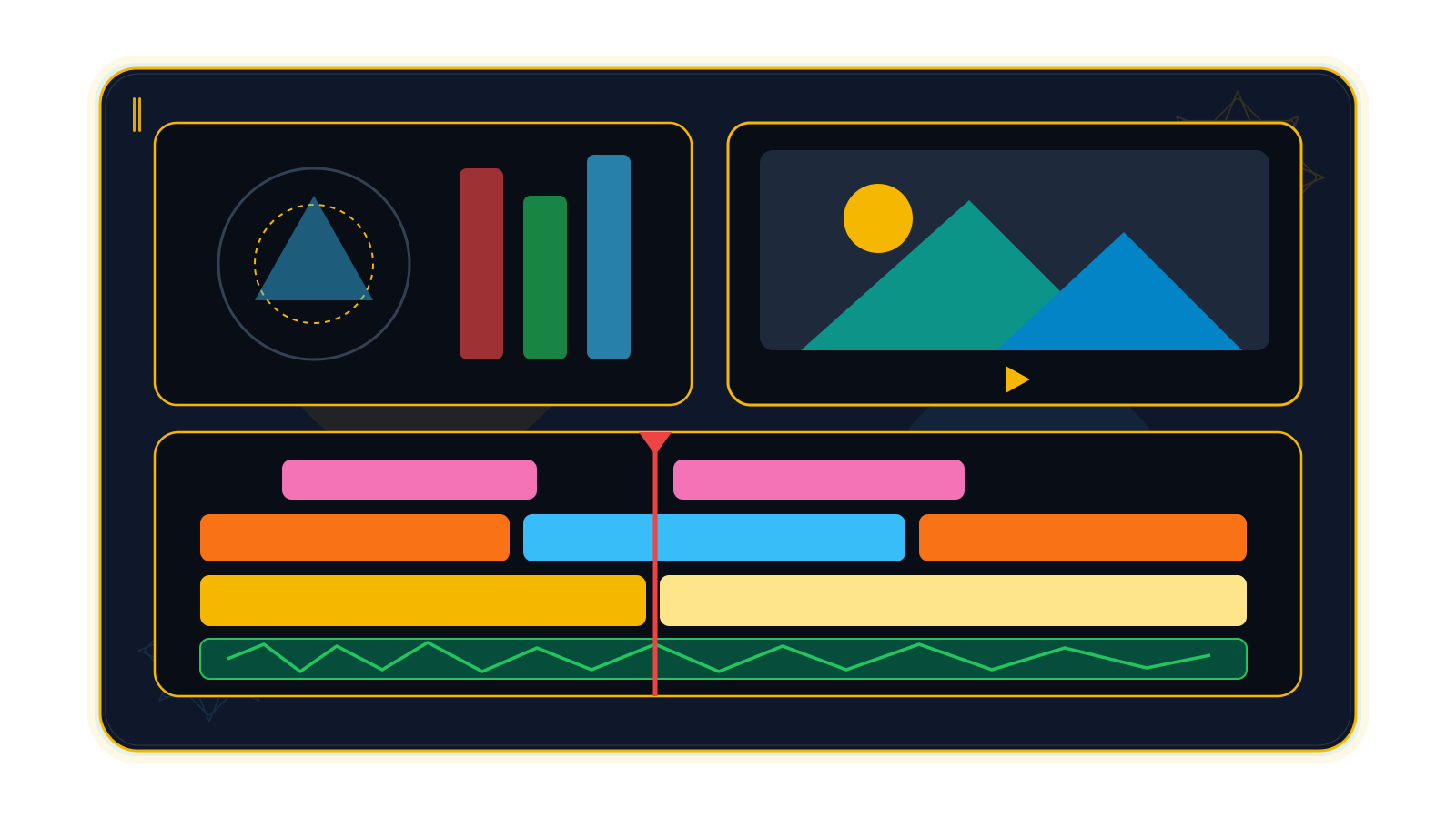
Use bins, Source and Program monitors, and multiple video and audio tracks to move from selects to an assembled sequence.
Source 1 ↗Source 2 ↗Checked: 2026-10-14
Mark source In and Out points, then insert or overwrite the chosen material on patched tracks.
Source 1 ↗Source 2 ↗Checked: 2026-10-14
Ripple, roll, slip, slide and rate-stretch tools refine the cut; the Trim Monitor and live dynamic trimming help judge adjacent shots.
Source 1 ↗Source 2 ↗Checked: 2026-10-14
Integer-tick time represents common frame and sample rates exactly, including 23.976 and 29.97 drop-frame.
Source ↗Checked: 2026-10-14

Adjust exposure, white balance, curves, color wheels, HSL secondary correction and vignette in a grading workflow.
Source 1 ↗Source 2 ↗Checked: 2026-10-14
Use waveform, parade, histogram and vectorscope displays to inspect the graded frame rather than relying on a display alone.
Source ↗Checked: 2026-10-14
Animate clip position, scale, rotation, opacity and effects with keyframes, including editable value and velocity graphs.
Source 1 ↗Source 2 ↗Checked: 2026-10-14
Apply EQ, dynamics, limiter, delay, reverb and noise-processing effects; read integrated loudness and true peak while mixing.
Source 1 ↗Source 2 ↗Checked: 2026-10-14
Use clip and track mixers with faders, pan, inserts, sends and submixes, plus recorded Read, Latch, Touch and Write automation.
Source ↗Checked: 2026-10-14
Build text and shape graphics; import, edit, burn in or export captions including SRT, WebVTT and SCC.
Source 1 ↗Source 2 ↗Source 3 ↗Checked: 2026-10-14
Import and export FCP7 XML, FCPXML, OpenTimelineIO, EDL, AAF and OMF; review reports for data the receiving format cannot carry.
Source ↗Checked: 2026-10-14

Atomic saves, auto-save versions and a crash-recovery journal protect edit history; export supported media in background jobs with progress and cancel.
Source 1 ↗Source 2 ↗Source 3 ↗Source 4 ↗Checked: 2026-10-14
An edit takes shape when you decide what the viewer should notice next. XiFilm is the XiKey™ project for assembling that story, built on FilmCraft's timeline editing, color, audio and caption tools. The inspected source offers an integrated path from selecting footage to a rendered review copy. Upstream overview
XiFilm itself remains a planned integration at the Alpha stage. This page describes inspected upstream capability and XiKey development status, not a validated public XiFilm installer. The store policy makes Alpha free. XiKey status and XiKey pricing, checked 14 October 2026.
XiFilm is being developed for independent editors, documentary storytellers, educators and teams making concise instructional or event films. An original short sequence is a useful early evaluation: it lets you inspect your media, cut quality, sound and export without moving an entire production at once.
Turn field footage, artifact photographs and recorded interviews into a short account of a dig. Organize sources in bins, place selected interview ranges with source marks, and use title graphics to identify people or locations. Manually prepared captions can carry the dialogue while the pictures show the work. Keep the edit's claims grounded in the research team's own material; the editor supplies the assembly tools, not archaeological interpretation. Editing tools, titles and captions
Build a recap around a few decisive rallies rather than the whole recording. Refine the joins with ripple and roll trims, balance arena sound against the music, and add a simple graphic score or closing title. Review a short exported section to judge whether the energy survives the cut. Score graphics and shot choices are editorial work here, not automatic sports detection. Trim tools, audio tools, graphics
Make a dish preparation sequence easier for new kitchen staff to follow. Put each demonstrated stage in order, hold a clear close-up when the supplied script needs it, and add readable step labels. Use measured audio levels and reviewed captions to keep the explanation understandable in a busy environment. This is a suggested creative brief, not a supplied course or a verified XiFilm example project. Graphics, audio DSP, caption implementation
Choose and place. Bins and Source/Program monitors organize media alongside a multi-track timeline. In and Out marks support insert and overwrite edits. Ripple, roll, slip, slide and rate-stretch tools adjust the material; the Trim Monitor and dynamic trimming let you judge an edit as it plays. Integer-tick time represents common frame and sample rates exactly, including fractional rates and drop-frame timecode. Editing, trim implementation, time model
Shape the picture. Exposure and white balance, curves, color wheels, HSL secondary correction and vignette controls create a grading workflow. Waveforms, parades, histograms and vectorscopes help inspect the graded image. Animate position, scale, rotation, opacity and effect parameters with keyframes and editable value or velocity graphs. Color, scope implementation, effects and animation
Finish what the viewer hears and reads. Clip and track mixers provide faders, pan, inserts, sends and submixes, with Read, Latch, Touch and Write automation. Audio processing includes EQ, dynamics, limiter, delay, reverb and noise tools, with integrated loudness and true-peak metering. Text and shape graphics provide titles; caption tracks import, edit, export or burn in SRT, WebVTT, SCC and other supported formats. Audio, DSP, titles, captions
Import a representative set of your real footage and organize it before polishing. Assemble the rough sequence with source marks, refine the cuts, then grade adjacent shots and build the mix. Add the titles and reviewed captions once the sequence is stable enough to read in context.
Save versions as you evaluate. The upstream implements atomic saves, an auto-save ring and a recovery journal; those mechanisms are useful safeguards, not a promise that an Alpha cannot lose work. Render a short review copy through a background export job, then check the image, caption timing and sound in the destination player. H.264 MP4, ProRes MOV, image sequences, GIF and WAV are among the supported upstream outputs. Project saving, recovery implementation, export output, upstream export workflow
For another editor or audio-post workflow, FCP7 XML, FCPXML, OpenTimelineIO, EDL, AAF and OMF have implemented import/export routes. Read the interchange report: unsupported effects and other data may not be carried across, and receiving applications still need a round-trip check. Interchange implementation
The Arabic interface and one-click EN ⇄ ع switch are in progress for XiFilm, together with the Arabic style-grouped font dialog and XiKey splash, About and message dialogs. Signed updates through XiLauncher are also in progress. The verified language-switch pilot is XiPhoto; XiFilm has not yet been verified with those additions.
Planned work covers Classic and Modern layouts, Retina scaling and sandboxed add-on management through XiLauncher. Kashida, tashkeel, Arabic digit and Hijri tools are scoped to image, layout and office apps; this film-editing page does not claim that integration. XiKey status, checked 14 October 2026.
The checked upstream cannot open or save Premiere .prproj files. Camera codec and hardware support have documented gaps, and effect fidelity has not been broadly measured against Premiere. Speech-to-text is an optional desktop build feature, disabled by default; automatic transcription is not a verified XiFilm feature. Third-party plug-in hosting is another documented upstream gap. Project-format limits, known gaps, desktop build features
Upstream targets Windows, macOS and Linux. Validated XiKey packages and minimum hardware requirements have not been established for XiFilm. Test a small copy of your actual material before relying on a codec or handoff. Upstream platforms and media
Evidence reviewed 2026-10-14: FilmCraft workspace version 0.7.2, main commit cee1feb185e675a108f78067f71ad86a640ace3d. The latest release notes reviewed were v0.7.2, published 12 October 2026 at 71438c627b5cbcfb550526c3971f4d0037733c5c. The inspected main commit is later and distinct. Source inspection does not establish XiKey runtime readiness.
XiFilm is based on FilmCraft by the ArtCraft team (MIT OR Apache-2.0).
XiKey is a trademark of Pioneer Local Development Co. Ltd.
An Arabic interface and one-click EN ⇄ ع switching are in progress for this product. The verified pilot is XiPhoto; this integration is not shipped.
A font dialog grouped by Arabic styles, with script-aware previews, is in progress. Product integration and native review remain.
XiKey splash, About and message dialogs are in progress, including upstream credit and version information.
Classic and Modern layout presets, together with Retina scaling, are planned.
Installing and managing sandboxed add-ons through XiLauncher is planned; compatibility and signing checks must precede release.
Signed updates delivered through XiLauncher are in progress. A public XiKey release channel is not yet verified for this product.
fcprojmp4movmkvwebmmxfpngjpgtiffbmpgifwebpsrtvttsccxmlfcpxmlotioedlaafomf
fcprojmp4movmxfpnggifwavsrtvttsccxmlfcpxmlotioedlaafomf
A plan for your work
Beta pricing preview
XiFilm is based on FilmCraft by the ArtCraft team (MIT OR Apache-2.0).
View upstream repository ↗MIT OR Apache-2.0 · 0.7.2; main commit cee1feb185e675a108f78067f71ad86a640ace3d; latest release v0.7.2 at 71438c627b5cbcfb550526c3971f4d0037733c5c (2026-10-12), distinct from inspected main · 2026-10-14
Then $39.00 / year
Save $20.88 versus 12 regular monthly payments
First month: $0.99; then $4.99 / month
All updates included while subscribed, delivered and verified through XiLauncher.
The product registry lists this integration as planned and the development stage as Alpha. Alpha is free under the store policy; this is not a claim that a public download exists. XiKey status and pricing as of 2026-10-14: /products/xifilm/; /store/.
They describe inspected upstream FilmCraft capabilities at commit cee1feb185e675a108f78067f71ad86a640ace3d, not a tested XiKey release. Each feature records its source. Integration, installer and real-project checks remain.
Roadmap statuses follow XiKey status as of 2026-10-14: /products/xifilm/. Arabic interface, language switch, style-grouped Arabic font dialog, branded dialogs and signed launcher updates are in progress here; Classic/Modern layouts, Retina scaling and launcher sandboxed add-ons are planned. Arabic kashida, tashkeel, digit and Hijri tools are scoped to image/layout/office apps; no motion/video integration is claimed.
The checked upstream cannot open or save .prproj. XML, OTIO, AAF and other interchange routes exist, but their reports and round trips need review; an interchange file does not preserve every effect. Evidence: https://github.com/storytold/filmcraft/blob/cee1feb185e675a108f78067f71ad86a640ace3d/docs/file-format-parity.md; https://github.com/storytold/filmcraft/blob/cee1feb185e675a108f78067f71ad86a640ace3d/crates/interchange/src/lib.rs.
No general promise is made. Upstream speech-to-text is an optional build feature, disabled by default. Camera codec and hardware support have documented gaps, so test the actual footage. Formats evidence: https://github.com/storytold/filmcraft/blob/cee1feb185e675a108f78067f71ad86a640ace3d/README.md#formats-and-codecs; https://github.com/storytold/filmcraft/blob/cee1feb185e675a108f78067f71ad86a640ace3d/crates/export/src/lib.rs; https://github.com/storytold/filmcraft/blob/cee1feb185e675a108f78067f71ad86a640ace3d/crates/captions/src/lib.rs; https://github.com/storytold/filmcraft/blob/cee1feb185e675a108f78067f71ad86a640ace3d/crates/interchange/src/lib.rs; https://github.com/storytold/filmcraft/blob/cee1feb185e675a108f78067f71ad86a640ace3d/docs/project-files.md. Limits: https://github.com/storytold/filmcraft/blob/cee1feb185e675a108f78067f71ad86a640ace3d/apps/filmcraft/Cargo.toml; https://github.com/storytold/filmcraft/blob/cee1feb185e675a108f78067f71ad86a640ace3d/docs/gaps.md.
Compare
Explore a fair comparison, including where the other product is stronger.
ALPHA · FREE · Checked: 2026-10-14
Official pricing: $22.99 / month · Individual single-app subscription; annual commitment, billed monthly; USD, tax additional if applicable · Region: US · 2026-10-14 Source ↗
| Topic | XiFilm | Premiere Pro |
|---|---|---|
| Price and release stage Source 1 ↗Source 2 ↗Source 3 ↗ | XiKey Alpha is free; this product is still a planned integration. Future Beta pricing is not an available paid release. | US$22.99 per month, individual annual plan billed monthly, with a seven-day trial. Adobe now calls the product Premiere. |
| Assembling the edit Source 1 ↗Source 2 ↗Source 3 ↗Source 4 ↗ | Upstream has source marks, insert/overwrite and ripple/roll/slip/slide trimming; these capabilities await XiKey integration validation. | Three-point editing and timeline tools are provided, with Text-Based Editing as an additional way to assemble dialogue. |
| Captions and automatic transcription Source 1 ↗Source 2 ↗Source 3 ↗Source 4 ↗Source 5 ↗ | Upstream supports caption files and burn-in. Speech-to-text is optional and disabled in the default desktop build; XiKey automatic transcription is not verified. | Text-Based Editing auto-transcribes dialogue and supports transcript-driven rough cuts; captions are generated from the final sequence in a separate workflow. |
| Project migration and camera media Source 1 ↗Source 2 ↗Source 3 ↗Source 4 ↗ | The checked upstream cannot open .prproj. It offers interchange routes but documents codec/hardware gaps; test real media and review interchange reports. | Uses .prproj natively and documents wider native camera support including RED R3D and Canon RAW. |
| Third-party extensions Source 1 ↗Source 2 ↗ | Upstream documents no third-party plug-in hosting. XiLauncher sandboxed add-on management is planned, not a substitute already delivered. | Supports third-party plug-ins, including VST/VST3 audio effects and Audio Units on macOS. |
| Review, integration and maturity Source 1 ↗Source 2 ↗Source 3 ↗ | XiFilm is planned Alpha, with unvalidated XiKey packages; upstream documents stability and fidelity gaps. Launcher updates are in progress. | Frame.io review is included in the plan, and Dynamic Link connects After Effects; this is a broader released workflow than the current XiFilm integration. |