01
Develop · Keep the original intact
Adjustments are stored separately from the source photo, with undo and redo, so you can revisit a look without overwriting the capture.
Source ↗Checked: 2026-10-14

Creative Studio
ALPHA · FREEBuild a thoughtful photo collection with XiKey™: select the frames, refine their light and carry a consistent look into export. XiLight is a free Alpha based on LightCraft’s documented non-destructive library and development tools. These are upstream foundation capabilities; Arabic integration and XiKey release validation are still in progress.
Alpha is free today.
Explore the details
Adjustments are stored separately from the source photo, with undo and redo, so you can revisit a look without overwriting the capture.
Source ↗Checked: 2026-10-14
Open JPEG, PNG, TIFF and supported RAW families such as DNG, CR2, ARW, NEF and RAF. Camera models and compression modes vary; some RAWs are preview-only.
Source 1 ↗Source 2 ↗Checked: 2026-10-14
Balance exposure, contrast, highlights, shadows, whites and blacks, then use parametric or RGB point curves to refine tonal relationships.
Source ↗Checked: 2026-10-14
Set white balance with temperature, tint, presets or an eyedropper; refine vibrance, saturation and individual hue bands in the Color Mixer.
Source ↗Checked: 2026-10-14
Grade shadows, midtones and highlights independently, with blending and balance controls to connect the three ranges.
Source ↗Checked: 2026-10-14
Brush and linear or radial gradient masks isolate local adjustments; combine them with add, subtract and intersect, or select by luminance or colour range.
Source ↗Checked: 2026-10-14
Use Texture, Clarity and Dehaze, then add a post-crop vignette or grain when the intended image treatment calls for it.
Source ↗Checked: 2026-10-14
Crop to common aspect ratios, straighten, flip and rotate, or make manual perspective and geometry adjustments.
Source ↗Checked: 2026-10-14
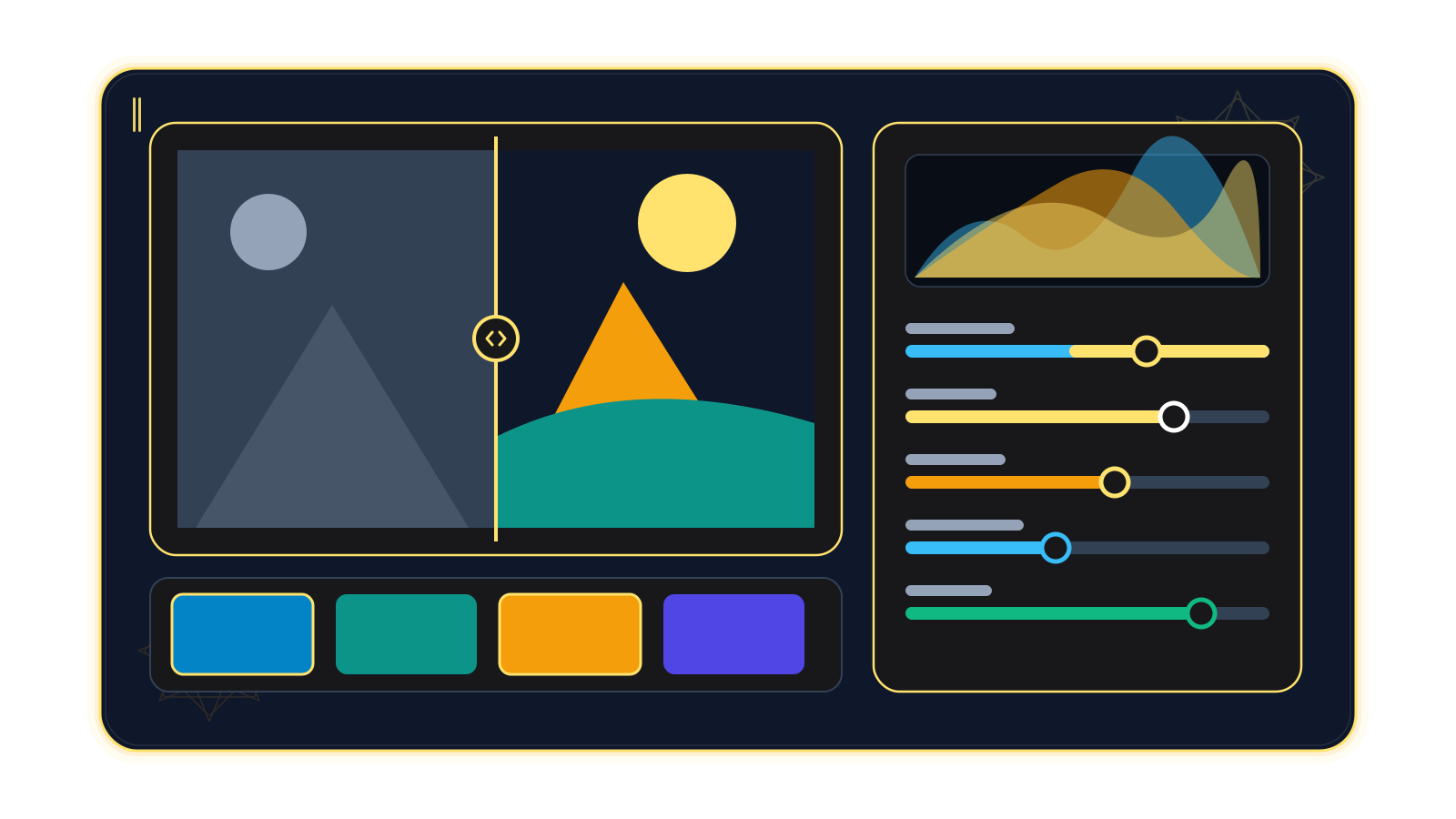
Peek at the original or compare before and after side by side or in a split view to decide whether the edit serves the photograph.
Source ↗Checked: 2026-10-14
Save presets, adjust their amount and copy or sync selected setting groups across multiple photos, then refine individual exceptions.
Source ↗Checked: 2026-10-14
Rate, flag and colour-label photos, arrange albums in folders and search fields such as rating, date, camera and keywords.
Source ↗Checked: 2026-10-14
Export developed images with size, quality, colour-space and metadata options, and save supported settings to XMP sidecars. Lightroom looks do not transfer exactly.
Source 1 ↗Source 2 ↗Checked: 2026-10-14
Create a paginated A4 or Letter contact-sheet PDF from the current edits, with a chosen grid and optional filename captions, for printing in a PDF viewer.
Source ↗Checked: 2026-10-14
A photo collection becomes useful when the best frames are easy to find and their treatment feels deliberate. XiLight brings that work into the XiKey™ family: choose a sequence, shape its light and colour, and prepare a consistent set for its next destination.
XiLight is Alpha and free today. This page describes the documented LightCraft foundation at the inspected commit. XiKey interface integration and release validation remain unfinished; it does not promise a ready installer for every target platform. Project status, checked 2026-10-14.
XiLight’s direction suits photographers, collection editors and small creative teams who need both a library and a development workflow. In the upstream foundation, ratings, flags, colour labels and albums help narrow the collection. Search can combine fields such as date, camera, keyword and rating, so the next decision begins with a manageable selection. Library evidence.
Development is non-destructive: adjustments stay separate from the original. Exposure controls, curves, white balance, the colour mixer and three-way grading give you choices from a neutral correction to a deliberate series treatment. Brushes, gradients and range masks let you refine part of a frame. Compare before and after before deciding the image is ready. Development tools and masking tools, inspected 2026-10-14.
A field team returns with shoreline images captured across several dates. Try grouping them by survey session, rating the useful observations and using camera/date searches to find a location’s coverage. A conservative exposure and white-balance pass can improve viewing copies. Keep the original captures as the evidence record: a developed image is not a scientific calibration or an automatic species identification. Library and development foundation.
A studio has a set of bowls, tiles and vessels photographed against a simple backdrop. Start with a representative frame, set white balance and crop to the catalogue’s ratio, then copy only the relevant setting groups across the selection. Inspect glaze colours and highlights individually before export; matching an object’s appearance for print still requires a validated colour workflow. Copy settings and presets and export formats.
An event photographer has bursts from the start, climbs and finish. Use flags and ratings to narrow the story, compare similar frames and apply a shared tonal treatment to the selected sequence. Export viewing files and a contact-sheet PDF for the club’s editors to discuss. The contact sheet uses current edits, an A4 or Letter grid and optional filename captions; it is not a full custom print-layout module. Selection tools and contact-sheet workflow.
JPEG, PNG, TIFF and supported RAW families are documented. RAW coverage is uneven: some CR3, compressed ORF and Nikon High Efficiency NEF files may be preview-only. Supported XMP settings can move across, but Lightroom rendering, unsupported profiles and AI edits do not reproduce identically. Camera support details, format matrix and XMP interchange.
In progress: an Arabic interface with a one-click EN ⇄ ع switch; a style-grouped Arabic font dialog; and XiKey splash, About and message dialogs. The live language switch is demonstrated in XiPhoto and is still being brought to XiLight. Shared kashida, tashkeel, Arabic digit and Hijri-date tools are also in progress for image apps; their integration and useful placement here remain unfinished. This is not a promise of working Arabic watermarks today.
Planned: Classic and Modern layouts, Retina scaling and sandboxed add-ons through XiLauncher. In progress: signed update delivery through XiLauncher. XiKey progress and XiKey roadmap, checked 2026-10-14.
Evaluate a representative shoot before moving a collection. Camera colour and lens corrections have documented gaps; automatic masks do not offer the same mature behaviour as Lightroom’s AI tools, and optional model deployment is not guaranteed in XiKey. Classic catalogue import is one-way and approximate; Lightroom plug-ins are not compatible. Cloud synchronization, mobile continuity and a full printing module are not verified XiKey services. Upstream gaps and project state.
Targets are Windows x64/ARM64, macOS and Linux, based on upstream platform support. XiKey installers and hardware minima still need release validation. Alpha is free; paid subscriptions start at Beta under the store policy, checked 2026-10-14.
Source review: LightCraft 0.7.1, commit b3d392b4994ee99dc389890f006600769d0c4ff5, checked 2026-10-14. README, feature and format documentation, gaps, what’s new and v0.7.1 release notes were reviewed.
XiLight is based on LightCraft by the ArtCraft team (MIT OR Apache-2.0).
XiKey is a trademark of Pioneer Local Development Co. Ltd.
In progress: Arabic interface integration and a one-click EN ⇄ ع switch. The live switch is shipped in XiPhoto; its port to this product is still underway.
In progress: a shared font dialog grouping Arabic faces by styles such as Naskh, Kufi and Diwani, with appropriate previews. Integration here is pending.
In progress: XiKey splash, About and message dialogs, including upstream credit and licences. These are not yet a verified integrated release of this product.
Planned: Classic and Modern layouts, Retina scaling and user-controlled interface scale.
In progress: shared tools for kashida, tashkeel, Arabic digit styles and Hijri dates. Their usable placement in XiLight is pending integration; Arabic watermarks are not promised today.
Planned: installation and management of sandboxed add-ons through XiLauncher. No compatible add-on catalogue is promised for this Alpha.
In progress: signed update delivery through XiLauncher. Publishing and installer integration remain unfinished.
windows-x64windows-arm64macoslinux
jpgjpegpngtiftiffwebppsdpsbjxldngcr2cr3arwnefrafrw2peforf
jpgpngtiffwebpjxldngpdfxmp
A plan for your work
Beta pricing preview
XiLight is based on LightCraft by the ArtCraft team (MIT OR Apache-2.0).
View upstream repository ↗MIT OR Apache-2.0 · 0.7.1 @ b3d392b4994ee99dc389890f006600769d0c4ff5 · 2026-10-14
Then $19.00 / year
Save $10.88 versus 12 regular monthly payments
First month: $0.99; then $2.49 / month
All updates included while subscribed, delivered and verified through XiLauncher.
Yes. Alpha is free; the store’s paid subscription policy begins at Beta. XiKey pricing: /store/, checked 2026-10-14.
Do not infer support from the extension alone. Support varies by camera model and compression; some CR3, compressed ORF and Nikon High Efficiency NEF files can be preview-only. Test a sample from your exact shooting mode. Source: https://github.com/storytold/lightcraft/blob/b3d392b4994ee99dc389890f006600769d0c4ff5/docs/raw-parity.md, checked 2026-10-14.
Supported XMP settings can be mapped, but rendering differs and unsupported profiles or AI settings do not reproduce the same result. Lightroom Classic catalog import is one-way and approximate. Source: https://github.com/storytold/lightcraft/blob/b3d392b4994ee99dc389890f006600769d0c4ff5/docs/file-format-parity.md, checked 2026-10-14.
No. It records the inspected LightCraft 0.7.1 foundation. XiLight remains Alpha; XiKey Arabic tools, dialogs, signed updates and installer validation are unfinished. XiKey status: /products/xilight/.
Image formats are rendered exports; DNG export has limits, PDF is a contact sheet and XMP is a settings/metadata sidecar. HEIC depends on packaging; AVIF import and PSD export are not promised here. Source: https://github.com/storytold/lightcraft/blob/b3d392b4994ee99dc389890f006600769d0c4ff5/docs/file-format-parity.md, checked 2026-10-14.
Compare
Explore a fair comparison, including where the other product is stronger.
ALPHA · FREE · Checked: 2026-10-14
Official pricing: $11.99 / month · Lightroom individual (1 TB) — annual commitment, billed monthly; includes Lightroom on desktop/mobile/web and Lightroom Classic. US list price; not a month-to-month plan. · Region: US · 2026-10-14 Source ↗
| Topic | XiLight | Adobe Lightroom |
|---|---|---|
| Price and stage Source 1 ↗Source 2 ↗ | Alpha is free today; subscriptions begin at Beta. XiLight’s integrated XiKey release has not yet been validated. | US$11.99/month for the individual Lightroom 1 TB plan, annual commitment billed monthly; Lightroom Classic is included. |
| Light and colour development Source 1 ↗Source 2 ↗Source 3 ↗ | LightCraft foundation includes exposure, curves, white balance, colour mixer and three-way grading; its rendering is not identical to Lightroom. | Lightroom provides light controls, curves, colour adjustment and colour grading. |
| Local adjustments and masks Source 1 ↗Source 2 ↗Source 3 ↗ | Brushes, gradients and range masks are documented; automatic subject/sky/people masks have heuristic limits and optional object models are not a guaranteed XiKey feature. | Lightroom offers automatic object and people selections, including separate adjustments to parts of a person. |
| RAW and camera coverage Source 1 ↗Source 2 ↗ | RAW support is model- and compression-dependent; some CR3, compressed ORF and High Efficiency NEF files are preview-only. Check your own samples. | Adobe maintains a published camera compatibility list with minimum Camera Raw and Lightroom versions. |
| Library and devices Source 1 ↗Source 2 ↗ | Albums, ratings, flags and field searches are documented in a local library. No XiKey cloud-sync/mobile service is verified. | The plan covers desktop, mobile and web with 1 TB cloud storage, plus the desktop-focused Classic app. |
| Moving an existing Lightroom workflow Source 1 ↗Source 2 ↗Source 3 ↗Source 4 ↗ | Supported XMP settings and one-way Classic catalog import are documented, but unsupported profiles, AI edits and Lightroom plug-ins do not transfer unchanged. | The included Lightroom Classic offers a Lua SDK for export, publishing and metadata plug-ins. |