01
Draft from dimensions you already know
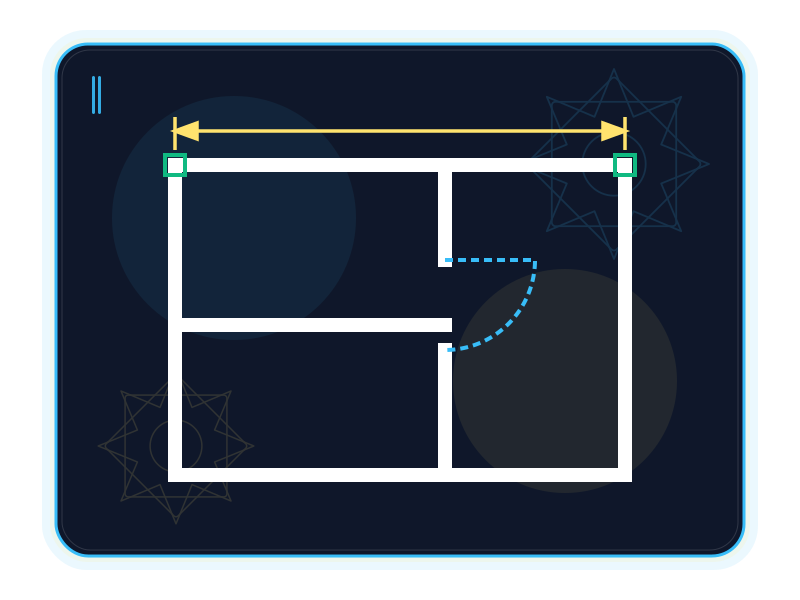
Enter absolute, relative or polar coordinates, use command aliases and repeat the last command to keep a measured sketch moving.
Source ↗Checked: 2026-10-14
Engineering
ALPHA · FREEXiCAD is the planned XiKey™ Alpha edition of CADCraft for 2D drawing, annotation and sheet preparation. The checked upstream foundation includes command-driven drafting, layers, dimensions and PDF plotting; these are upstream capabilities, not a verified shipped XiCAD build. Arabic-first XiKey integration is in progress, and Alpha is free when available.
Alpha is free today.
Explore the details
Enter absolute, relative or polar coordinates, use command aliases and repeat the last command to keep a measured sketch moving.
Source ↗Checked: 2026-10-14
Create lines, polylines, circles, arcs, ellipses and splines for 2D outlines and details.
Source ↗Checked: 2026-10-14
Endpoint, midpoint, centre, intersection, tangent and perpendicular snaps work alongside orthogonal and polar guidance.
Source ↗Checked: 2026-10-14
Move, copy, mirror, scale, offset, trim and extend geometry; arrange repeated elements in rectangular or polar arrays.
Source ↗Checked: 2026-10-14
Organize objects with layer visibility, freezing and locking, plus colours, linetypes, lineweights and per-object properties.
Source ↗Checked: 2026-10-14
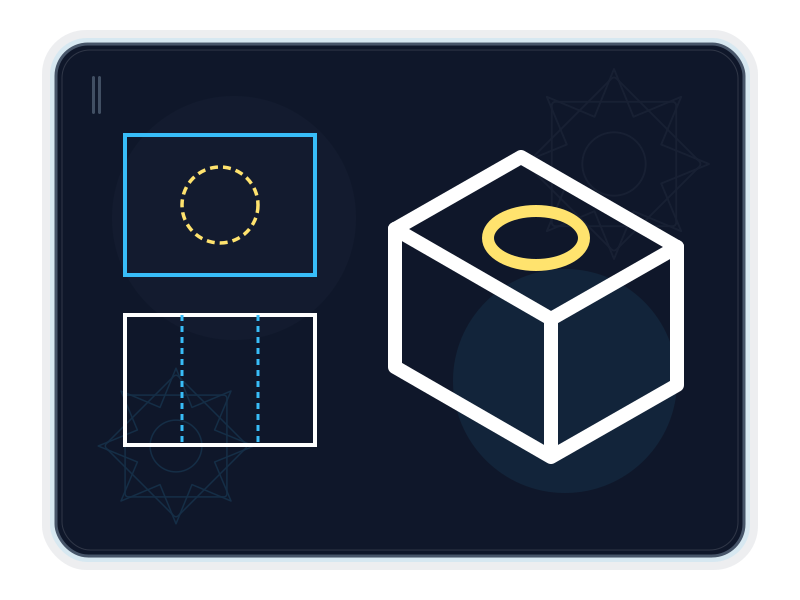
Associative dimensions update with geometry, with dimension-style settings and arrowheads for readable annotations.
Source ↗Checked: 2026-10-14
TEXT and MTEXT support installed TrueType/OpenType fonts. The upstream text engine provides bidirectional layout and Arabic-script shaping; formatting changes inside a word can break joining.
Source ↗Checked: 2026-10-14
Pick an enclosed area to hatch it, preserve interior islands, and choose patterned, solid or gradient fills.
Source ↗Checked: 2026-10-14
Create and insert static blocks with attributes and nested blocks. Upstream also documents a static Block Editor; dynamic-block authoring remains absent.
Source ↗Checked: 2026-10-14
Use geometric and dimensional constraints, parameter expressions and conflict detection; constraints re-solve after edits.
Source ↗Checked: 2026-10-14
Set up paper-space layouts and viewports with scale, locking and layer freezing, then plot to PDF or export SVG and PNG.
Source ↗Checked: 2026-10-14
The upstream reads and writes DXF, bridges DWG through acadrust, and supports DWT templates and limited SVG/SVGZ import. DWG saving can drop unsupported custom objects and foreign data; test copies before exchange.
Source ↗Checked: 2026-10-14
The upstream CLI can inspect, convert and run drawings; MCP exposes command execution, entity queries and rendering. AutoLISP .lsp routines are supported, with compatibility gaps documented.
Source ↗Checked: 2026-10-14
A measured drawing gives an idea a shared language: an outline, a distance, a note and a sheet that another person can follow. XiCAD is the planned XiKey™ edition of CADCraft, aimed at people who want to explore 2D drafting with a familiar command-driven workflow and a developing Arabic interface.
XiCAD is planned, with an Alpha stage in the product registry. Alpha is free when available. The capabilities below belong to the reviewed CADCraft foundation, not to a verified shipped XiCAD installer. The upstream itself labels its stage pre-alpha. These distinctions matter when choosing a tool for a real project. XiKey release status. Upstream stage.
Try this direction if you teach drafting, prepare concept plans, make workshop details or prefer typing coordinates to estimating them by eye. The foundation combines lines and curves, editing commands, object snaps and layers with annotation and sheet preparation. It is an invitation to evaluate a new tool using representative copies of your work. Its current scope does not include 3D modeling. Checked drafting features, known gaps.
Show the relationship between an entrance, a proposed path and a gathering area. Separate existing boundaries, route options and annotations into layers. Use polylines for the route, dimensions for widths and a scaled viewport for a review sheet. The result is a discussion drawing; accessibility compliance still requires the project's normal review. The underlying layer, dimension and viewport tools are documented in the upstream feature list.
Lay out proposed equipment positions in plan view, with repeated symbols as static blocks and labels for identification. A polar or rectangular array can place a repeated series; a leader can connect a note to the intended object. Export a PDF for the planning meeting. This example concerns positions and communication, not rigging load calculations. Blocks, arrays and annotation, layouts and plotting.
Draw a cabinet corner at useful working dimensions, mirror a repeated feature and hatch a section so solid material reads clearly. Associate dimensions with geometry, then revise the draft without manually rebuilding every annotation. Check fit and tolerances through the workshop's own process. Modify, dimensions and hatch capabilities.
Establish the geometry. Start with units and coordinates. Draw the outline using lines, polylines, circles or arcs, and use endpoint, midpoint, intersection and tangent snaps to connect the intended points. Orthogonal and polar guidance help constrain input. Command workflow.
Organize and explain. Put distinct elements on layers, assign lineweights and isolate a layer when the view becomes crowded. Static blocks reuse details; attributes keep identifying information with a block. Add dimensions, leaders and TEXT or MTEXT. Installed TrueType/OpenType fonts support drawing text, and upstream documents Arabic shaping and bidirectional text layout. This text-engine support is separate from XiKey's forthcoming interface work. Features, fonts and right-to-left text.
Revise relationships, then present. Offset, trim, mirror or arrange geometry. Geometric and dimensional constraints can retain intended relationships as the drawing changes. Prepare paper-space layouts, set a viewport scale and plot PDF, or export SVG/PNG for review. Command-line and MCP interfaces offer an upstream path for repeated drawing tasks; compatibility with existing automation must be checked. Layouts and constraints, automation.
The XiKey layer is under development. For XiCAD, the Arabic interface and one-click EN ⇄ ع switch are in progress; XiPhoto is the verified pilot for that integration. Upstream CADCraft already documents an Arabic language choice, but that does not establish a finished XiCAD experience. A font dialog organized by Arabic writing style, XiKey splash/About/message dialogs and signed updates through XiLauncher are also in progress. Classic/Modern layout presets, XiKey Retina scaling refinements and sandboxed add-ons installed through XiLauncher are planned. XiKey integration state, XiKey roadmap, upstream localization.
DXF and DWG support should not be read as a promise of lossless interchange. The current DWG bridge can drop unsupported custom objects and foreign data; upstream documents incomplete real-file validation. SVG/SVGZ import also omits text, fills and embedded images. PDF output exists, while PDF import and underlays do not. The reviewed foundation has no 3D modeling or dynamic-block authoring. Keep originals and compare trial exports in the receiving tool. File-format evidence, remaining gaps.
Windows x64/ARM64, macOS and Linux are target platforms; available XiCAD packages and hardware minima await release validation. No XiCAD installer, build or runtime test was performed for this page. Alpha is free; the store's future Beta list price is USD 39/year or USD 4.99/month before tax. Platform evidence, XiKey release status, store policy.
Reviewed on 2026-10-14: CADCraft 0.6.2, main commit e707ab4d7cc10102e550ad4c5bcecef1084a9baa. The v0.6.2 release notes were also reviewed; that release targets the earlier commit 00c7613f1af3c73f7157fa91d9fe2635c6f23c06. Feature links above pin the main snapshot, which includes later changes. Version declaration, format implementation.
XiCAD is based on CADCraft by the ArtCraft team (MIT OR Apache-2.0).
XiKey is a trademark of Pioneer Local Development Co. Ltd.
XiKey integration and the one-click switch are in progress for XiCAD. Upstream already documents Arabic interface selection; XiPhoto is the verified XiKey pilot.
A XiKey font dialog grouped by Naskh, Kufi and other Arabic styles is in progress; it is not integrated into a verified XiCAD release.
XiKey splash, About and message dialogs are in progress for XiCAD.
Classic and Modern XiKey layout presets are planned.
XiKey Retina scaling and icon refinements are planned; upstream display scaling does not establish that XiKey work has shipped.
Sandboxed XiKey add-ons and their XiLauncher installation workflow are planned; compatibility with AutoCAD plug-ins is not promised.
Signed update delivery through XiLauncher is in progress. Public XiCAD releases and this integration are not yet verified.
windows-x64windows-arm64macoslinux
dxfdwgdwtsvgsvgz
dxfdwgdwtpdfsvgpng
A plan for your work
Beta pricing preview
XiCAD is based on CADCraft by the ArtCraft team (MIT OR Apache-2.0).
View upstream repository ↗MIT OR Apache-2.0 · 0.6.2 @ e707ab4d7cc10102e550ad4c5bcecef1084a9baa · 2026-10-14
Then $39.00 / year
Save $20.88 versus 12 regular monthly payments
First month: $0.99; then $4.99 / month
All updates included while subscribed, delivered and verified through XiLauncher.
The registry currently marks XiCAD as planned with an Alpha stage. This page describes its checked upstream foundation and integration work; it does not confirm a public installer. See XiKey status: /products/xicad/.
Alpha is free. The current store plan starts paid subscriptions at Beta: XiCAD is USD 39/year or USD 4.99/month before tax, with the published store discounts. These are future Beta prices, not an Alpha charge; XiKey pricing is available at /store/.
No. The upstream roadmap calls CADCraft pre-alpha. It documents no 3D modeling, no dynamic-block authoring, incomplete DWG fidelity and broader ecosystem gaps. XiCAD adds another integration stage; evaluate representative copies before relying on it. Evidence: CADCraft ROADMAP.md and docs/gaps.md at the checked commit.
It lists the upstream paths reviewed in crates/io/src/lib.rs and docs/file-format-parity.md. SVG/SVGZ import omits text, fills, CSS classes and images; DWG may lose unsupported data. PDF is output only, with no PDF import or underlay support in the reviewed snapshot.
XiCAD is based on CADCraft by the ArtCraft team (MIT OR Apache-2.0). XiKey retains upstream credit and license notices.
Compare
Explore a fair comparison, including where the other product is stronger.
ALPHA · FREE · Checked: 2026-10-14
Official pricing: $2,095.00 / year · AutoCAD single-user, 1-year subscription, paid annually; USD suggested retail price before tax. Separate month-to-month plan: USD 260/month. Prices can change. · Region: US · 2026-10-14 Source ↗
| Topic | XiCAD | AutoCAD |
|---|---|---|
| Price and release stage Source 1 ↗Source 2 ↗Source 3 ↗ | Alpha is free when available; XiCAD remains planned. Published Beta pricing is USD 39/year or 4.99/month before tax. | US list price: USD 2,095/year paid annually, or USD 260/month on a separate monthly term; eligible education access and trials also exist. |
| 2D drafting and 3D scope Source 1 ↗Source 2 ↗Source 3 ↗Source 4 ↗ | The upstream foundation provides 2D commands, snaps, layers, dimensions and constraints. No 3D modeling; XiCAD integration is not release-verified. | Offers 2D drafting plus solid, surface and mesh modeling and rendering. Specialized industry toolsets are available with AutoCAD for Windows. |
| DWG exchange and preservation Source 1 ↗Source 2 ↗Source 3 ↗ | Upstream bridges DWG through acadrust; saving can discard custom classes and foreign data. There is no verified lossless XiCAD exchange claim. | Creates Autodesk TrustedDWG files and documents reference resolution, AUDIT and RECOVER. Check the receiving application and project requirements for exchange. |
| Reusable and dynamic blocks Source 1 ↗Source 2 ↗ | Static blocks, attributes and a static Block Editor are documented upstream. Dynamic-block authoring is absent, despite partial use of imported dynamic references. | Its Block Editor can define action parameters, constraints, attributes and visibility states, then test and save dynamic behavior. |
| PDF and drawing sheets Source 1 ↗Source 2 ↗Source 3 ↗ | Upstream layouts, viewports and vector PDF plotting are present. PDF import and underlays, plus direct system-printer integration, are documented gaps. | Can publish PDF and import PDF geometry or attach PDF underlays; imported PDF data has its own fidelity limits. |
| Automation and extensions Source 1 ↗Source 2 ↗Source 3 ↗Source 4 ↗ | Upstream CLI, MCP and .lsp routines are documented. DCL, reactors, .NET and ObjectARX compatibility are not supported; XiLauncher sandboxed add-ons are planned. | Documents AutoLISP/DCL, .NET, ObjectARX and other development interfaces, plus an App Store for extensions. API availability differs by platform. |
| Team workflow and maturity Source 1 ↗Source 2 ↗Source 3 ↗Source 4 ↗ | XiCAD is a planned Alpha product built on an upstream that labels itself pre-alpha. Upstream lacks Sheet Set Manager, Share, Traces and Markup Import; its browser build is not a XiKey service commitment. | Documents sheet-set management, sharing views, Trace and markup workflows, with access through desktop, web and mobile. |