01
Turn separate recordings into one clear story
Arrange audio on multiple tracks, then cut, split, trim and move clips in Shuffle, Slip, Spot or Grid modes with undo.
Source ↗Checked: 2026-10-14

Creative Studio
ALPHA · FREEXiAudio is the XiKey™ Alpha project for recording, arranging and mixing audio, based on SoundCraft. The capabilities below are verified in the upstream source; XiKey integration and installers remain in development. Alpha is free, with Arabic interface work clearly marked in progress.
Alpha is free today.
Explore the details
Arrange audio on multiple tracks, then cut, split, trim and move clips in Shuffle, Slip, Spot or Grid modes with undo.
Source ↗Checked: 2026-10-14
Loop recording creates a playlist for each take; comping lanes let you assemble selected moments into a preferred performance. Audio hardware limitations still apply.
Source ↗Checked: 2026-10-14
Use fades and crossfades with five shapes and adjust individual clip gain before balancing the full mix.
Source ↗Checked: 2026-10-14
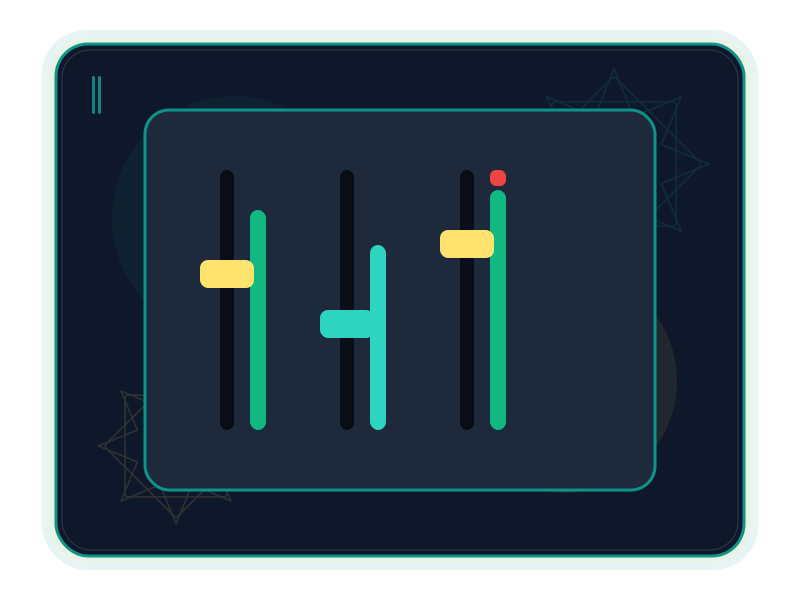
Route tracks through buses and aux inputs, with ten insert slots and ten sends per track, pan, faders and master controls.
Source ↗Checked: 2026-10-14
Draw or record automation for volume, pan, mute, sends and plug-in parameters using Write, Touch and Latch modes.
Source ↗Checked: 2026-10-14
Built-in EQ, compression, gating, de-essing, room and plate reverb, delay and modulation cover several common mixing tasks. Their output has not been proven equivalent to commercial processors.
Source ↗Checked: 2026-10-14
Built-in processors can run offline through AudioSuite. This is basic rendered processing; hosted third-party plug-ins are not covered by that capability.
Source ↗Checked: 2026-10-14
Draw and edit MIDI notes and velocities, quantize or transpose parts, and import/export Standard MIDI Files. Live MIDI hardware input and output are not implemented.
Source ↗Checked: 2026-10-14
Work with bars and beats, minutes and seconds, samples or timecode, plus tempo and meter maps and pitch-preserving Elastic warping.
Source ↗Checked: 2026-10-14
Read WAV/BWF/RF64, AIFF, FLAC, MP3, Ogg Vorbis, AAC/ALAC and CAF. WAV, AIFF and FLAC encoding is implemented; importing a format does not mean it can be exported.
Source ↗Checked: 2026-10-14
Bounce a mix, a named bus or stems to WAV, AIFF or FLAC, with bit-depth choices, dither and peak/true-peak/LUFS reporting.
Source ↗Checked: 2026-10-14
The upstream CLI, JSON control channel and MCP server expose editing and mixing commands; session inspection helps scripts check changes. XiKey command-line packaging is not yet verified.
Source ↗Checked: 2026-10-14
A compelling recording is more than a clean waveform. It has pauses, layers, a sense of distance and a reason to keep listening. XiAudio is the XiKey™ project for bringing those choices together: arrange clips, shape levels and tone, and export a mix or separate stems.
XiAudio is currently planned and unreleased in the Alpha stage. Alpha is free today. The capabilities on this page were checked in SoundCraft source, which is itself labelled pre-alpha; they describe the foundation being integrated, not a verified XiKey installer. The distinction matters when choosing a tool for a deadline. Source: checked upstream README. XiKey release and pricing status: XiKey status and XiKey pricing, checked 14 October 2026.
The project is worth exploring if you edit spoken material, build layered atmospheres or compose short pieces by drawing and importing MIDI. You may work alone, with a small production team or on a personal experiment. Start with a representative sample and keep your original recordings.
For a studio built around live MIDI gear, Avid session interchange or precise hardware monitoring, read the limits before planning a move. The checked base lacks MIDI device input/output and .ptx/.ptf or AAF/OMF session interchange; its duplex and physical-channel routing are incomplete. Source: hardware report, session interchange gaps.
Multiple tracks let speech, music and environmental sound keep their own place. Edit in Shuffle, Slip, Spot or Grid modes; trim and separate clips; use fades, crossfades and clip gain to make the joins intentional. Loop-recorded takes and playlist comping provide a way to choose a performance without treating every attempt as a separate finished piece. Source: editing and recording feature tour.
The mixer offers buses, aux inputs, inserts and sends. Built-in EQ, dynamics, reverbs, delay and modulation give you several ways to shape material, and automation lets volume, pan and effect settings evolve through time. Built-in processors also support basic offline AudioSuite processing. This is a useful toolset to evaluate, with quality and workflow gaps still documented by the upstream project. Source: mixer commands, processor capabilities and limits.
MIDI note and velocity editing, tempo maps and common audio imports support work that crosses music and recorded sound. Bounce the whole mix, a named bus or separate stems to WAV, AIFF or FLAC, and inspect peak, true-peak and LUFS measurements. MP3/AAC import should not be mistaken for compressed-format export. Source: file I/O, bounce commands.
These are suggested projects, not supplied templates or claims that a XiKey release has been tested on them.
The editing, routing, automation, MIDI and bounce tools behind these briefs are documented in the checked feature tour; the briefs themselves are editorial examples.
The upstream command-line tools and MCP server can repeat edits and inspect a session. They are source capabilities; XiKey packaging of these tools has not yet been verified. Sources: feature tour, automation interface.
The Arabic interface and one-click EN ⇄ ع switch are in progress for XiAudio. The working XiPhoto pilot does not make them shipped here. Also in progress are the shared Arabic font dialog grouped by writing style, XiKey splash/About/message dialogs, and signed updates through XiLauncher. Classic/Modern layouts, Retina scaling and sandboxed add-ons through XiLauncher are planned. This page does not promise Arabic text-layout tools or a pattern generator for the audio app.
The integration status is described in XiKey status, checked 14 October 2026.
There is no verified XiAudio installer or published hardware minimum in this review. Upstream desktop targets are documented separately from XiKey availability. Keep originals, try the kind of session you actually produce, and report a reproducible issue when something fails. A mature commercial workstation can be the better choice when hardware integration, interchange or a delivery standard is decisive; see the fair comparison for the specific trade-offs.
Source review: SoundCraft 0.6.1, HEAD c0cb99340891d306e216582db465f3594b89dc1d, checked 14 October 2026. The v0.6.1 release notes were also reviewed; that release points to 6cf896e76c0ec82a11bf2494f209cfe7c8507f74 and differs from the checked HEAD.
XiAudio is based on SoundCraft by the ArtCraft team (MIT OR Apache-2.0).
XiKey is a trademark of Pioneer Local Development Co. Ltd.
Arabic interface and a one-click EN ⇄ ع switch are being integrated into this product. The shipped XiPhoto pilot does not establish availability here.
The shared font dialog is being developed with Arabic style groups, script-aware previews, search, favourites and recent fonts; product integration remains in progress.
XiKey splash, About and message dialogs are in progress, with bilingual text, upstream credit and licence information.
Classic and Modern layout presets and Retina scaling are planned for the XiKey layer; no completed product integration is claimed.
Installing sandboxed XiKey add-ons through XiLauncher is planned. This does not imply existing audio plug-ins or Office macros are sandboxed add-ons.
Signed updates through XiLauncher are in progress. Publishing, signing and release integration remain subject to the project release work.
scraftwavbwfrf64aiffaifcflacmp3oggaacalaccafmp4movmid
scraftwavaiffflacmid
A plan for your work
Beta pricing preview
XiAudio is based on SoundCraft by the ArtCraft team (MIT OR Apache-2.0).
View upstream repository ↗MIT OR Apache-2.0 · 0.6.1; HEAD c0cb99340891d306e216582db465f3594b89dc1d; release v0.6.1 (6cf896e76c0ec82a11bf2494f209cfe7c8507f74) notes also reviewed · 2026-10-14
Then $19.00 / year
Save $10.88 versus 12 regular monthly payments
First month: $0.99; then $2.49 / month
All updates included while subscribed, delivered and verified through XiLauncher.
No. The registry marks it planned in the Alpha stage. These features describe checked upstream code, not a verified XiKey installer; the upstream itself is pre-alpha. Alpha is free (XiKey status: /products/xiaudio/; XiKey pricing: /store/; upstream README.md).
The checked base uses .scraft sessions and does not implement .ptx/.ptf or AAF/OMF session interchange. Exchange rendered audio or stems and retain the original project (upstream docs/gaps.md, G-03).
Arabic interface, font dialog, XiKey dialogs and signed XiLauncher updates are in progress; layout presets and sandboxed launcher add-ons are planned. XiPhoto pilot completion is not XiAudio completion (XiKey status: /products/xiaudio/).
Compare
Explore a fair comparison, including where the other product is stronger.
ALPHA · FREE · Checked: 2026-10-14
Official pricing: $34.99 / month · Pro Tools Studio, month-to-month subscription, standard listed USD price; excludes taxes. Artist and Ultimate are different tiers; expired promotions are not used. · Region: US · 2026-10-14 Source ↗
| Topic | XiAudio | Pro Tools |
|---|---|---|
| Price and readiness Source 1 ↗Source 2 ↗Source 3 ↗ | Alpha is free today. XiAudio is planned/unreleased, with checked upstream features; it is not a verified production-ready installer. | Studio lists US$34.99/month; other tiers and free Intro differ. |
| Editing and alternate takes Source 1 ↗Source 2 ↗ | Upstream multitrack editing offers Shuffle/Slip/Spot/Grid modes, fades and playlist comping; runtime parity has not been established. | Pro Tools documents these edit modes, loop recording and playlist comping. |
| MIDI composition and hardware Source 1 ↗Source 2 ↗Source 3 ↗ | Draw/edit notes and velocities or import/export MIDI files. Live MIDI hardware input/output is absent in the checked base. | Pro Tools documents MIDI recording with virtual instruments and note editing. |
| Plug-ins and included processing Source 1 ↗Source 2 ↗Source 3 ↗ | Built-in EQ/dynamics/reverb and CLAP/VST3/AU hosting are implemented upstream; platform/editor limits remain, and no AAX compatibility is claimed. | Studio lists 130+ instruments/effects and uses AAX plug-ins. |
| Audio interfaces and control surfaces Source 1 ↗Source 2 ↗ | Device/rate/buffer selection exists upstream, but duplex monitoring and physical-channel mapping are incomplete; control surfaces are missing. | Avid lists Core Audio and ASIO/WASAPI interfaces plus supported control surfaces. |
| Session exchange Source 1 ↗Source 2 ↗Source 3 ↗ | .scraft sessions and rendered audio/stems are supported upstream; .ptx/.ptf and AAF/OMF session interchange are not. | Studio supports AAF/OMF/MXF interchange. |
| Immersive delivery Source 1 ↗Source 2 ↗Source 3 ↗Source 4 ↗ | Surround/object routing exists upstream; Dolby Atmos/ADM BWF delivery is not implemented. That distinction matters for required delivery formats. | Studio includes a Dolby Atmos renderer and ADM export. |